All projects · Hoteles Hesperia
Works control
Every drawing with its owner, its status and its approval, in one place.
- Client
- Hoteles Hesperia
- Year
- 2014
- Industry
- Hospitality / Hotels
- Role
- PM · UX-UI · Development
- Platform
- Web + mobile
- Users
- Owner, reviewers and suppliers
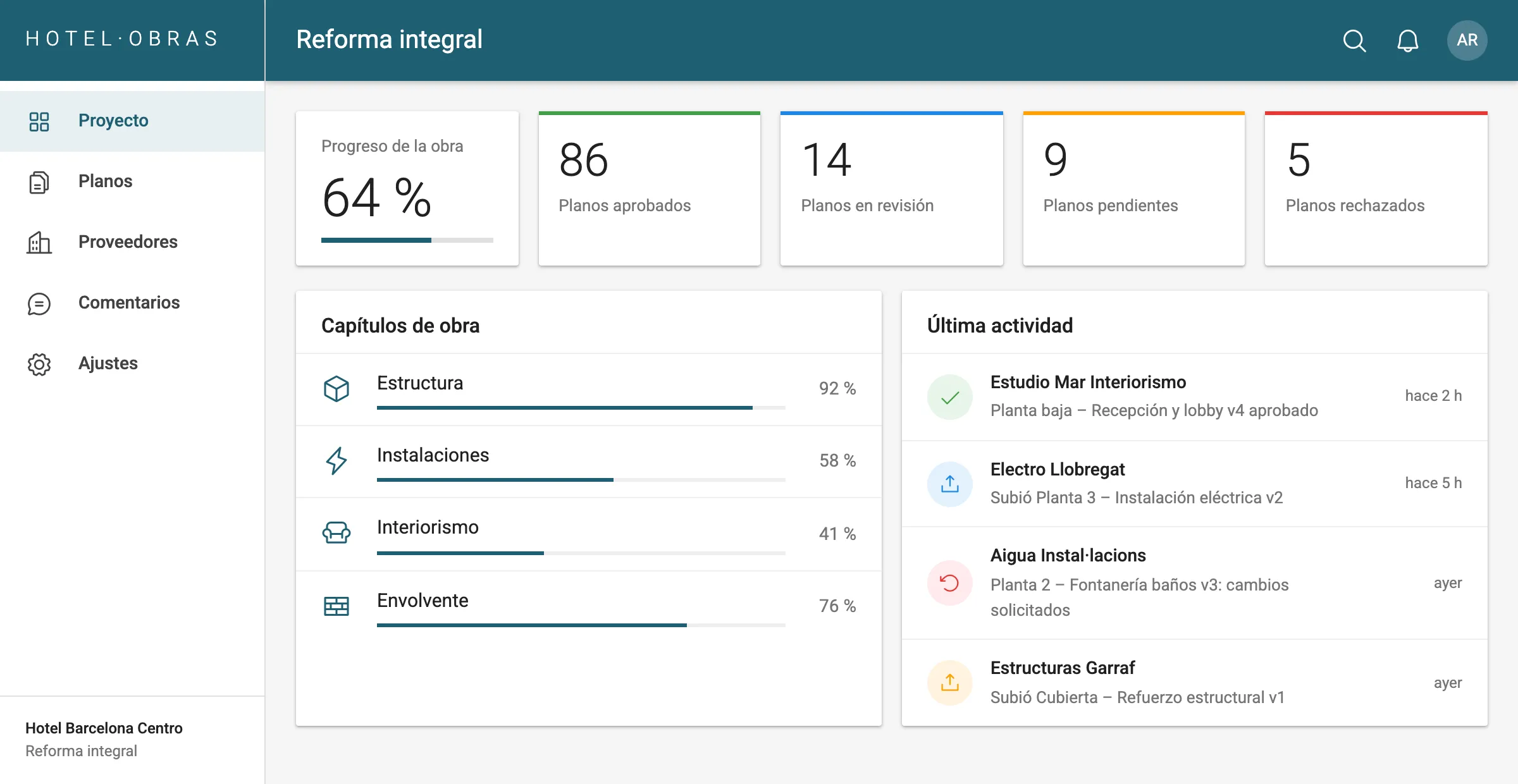
Project dashboard
The owner’s view: overall progress, drawings by status, works chapters and the latest activity.
Summary
A web application to control works at Hesperia hotels. Suppliers, site team and owner share a single flow: who uploads each drawing, who approves it and what state each part of the project is in.
Screens
Data shown is anonymized.
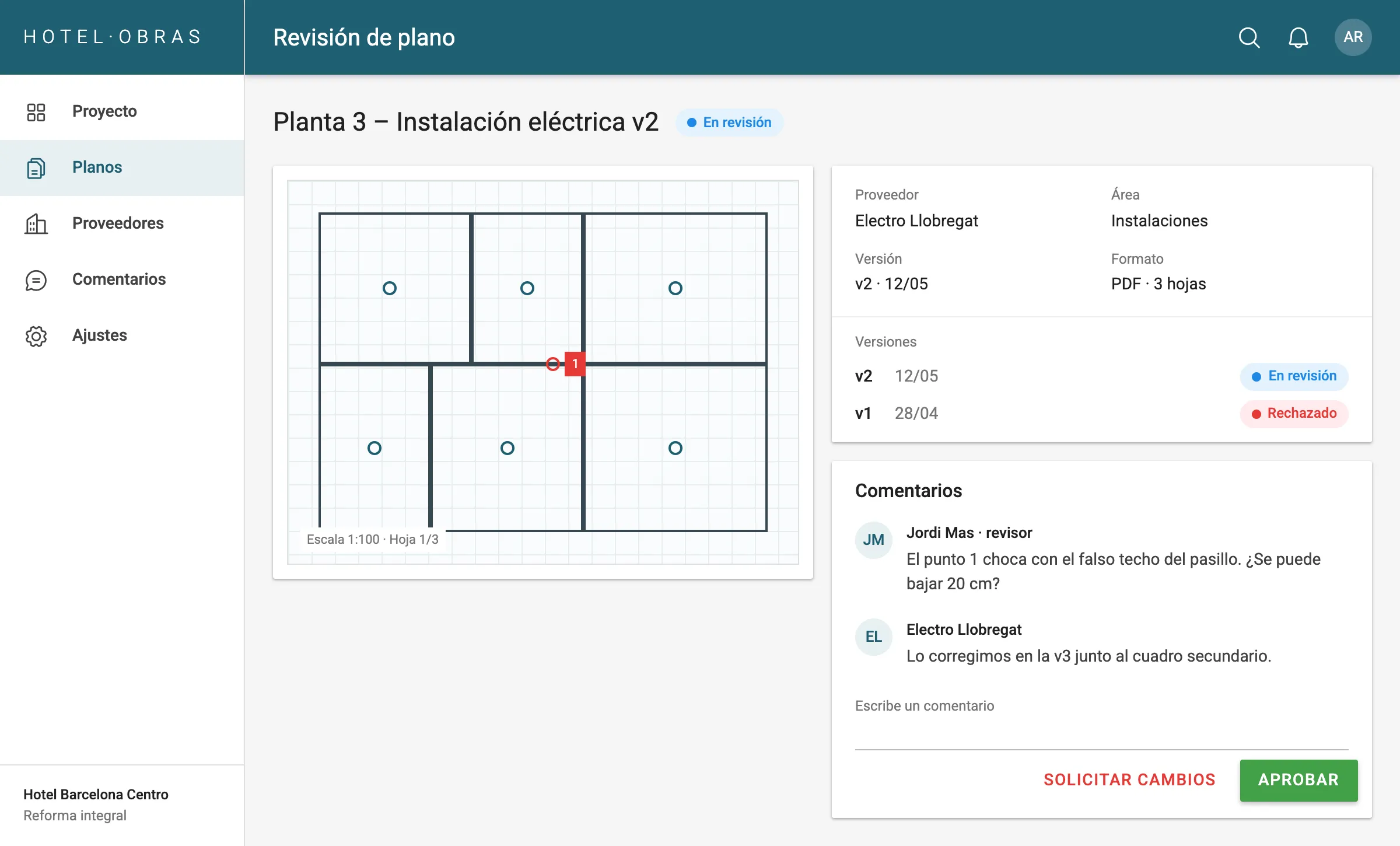
Review and approval
The drawing viewer with marked issues, versions and the comment thread next to the approve and request-changes buttons.
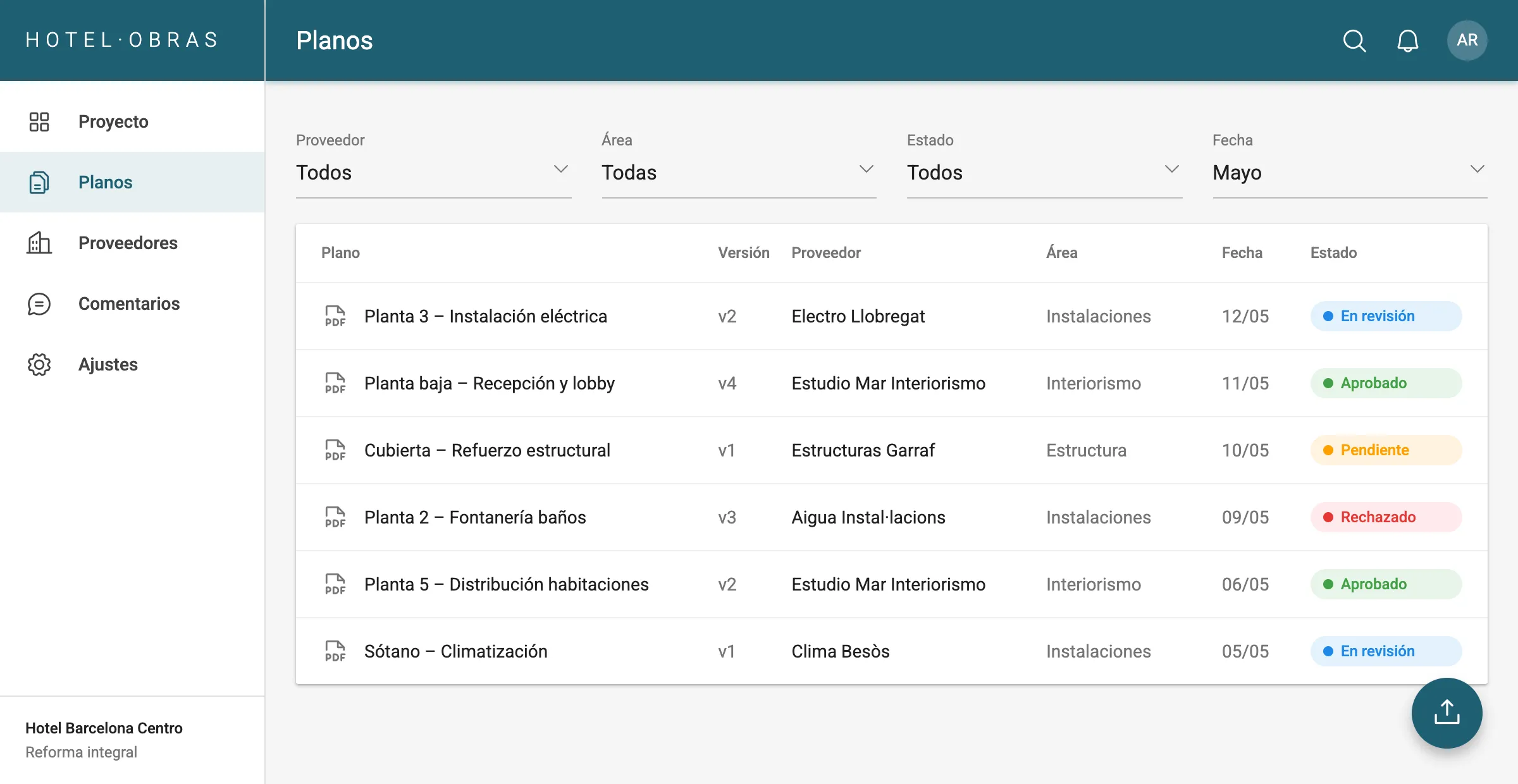
Drawings list
Filters by supplier, area, status and date, with colour and label for each status.
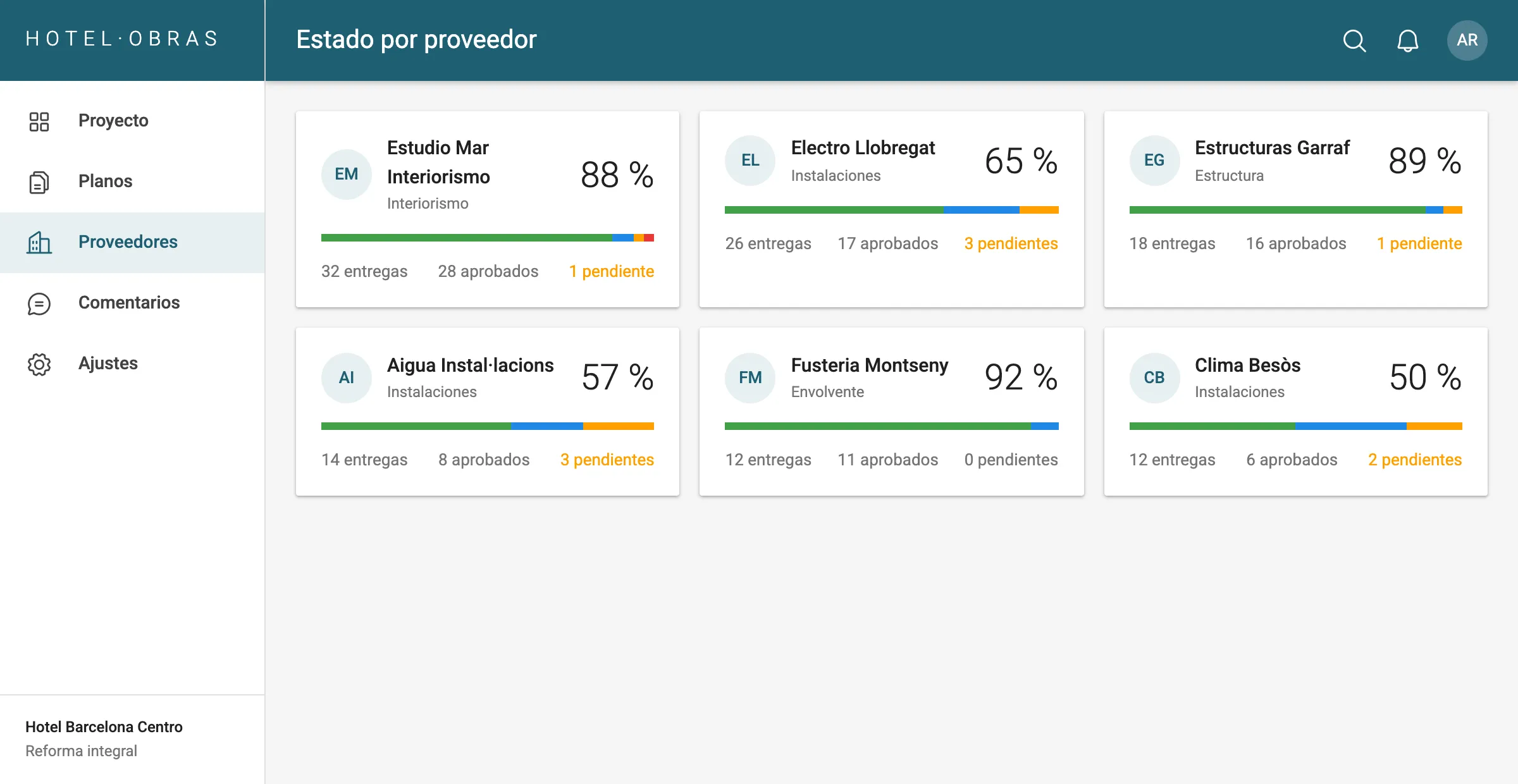
Status by supplier
Each supplier with its deliveries, approved share and what is pending.
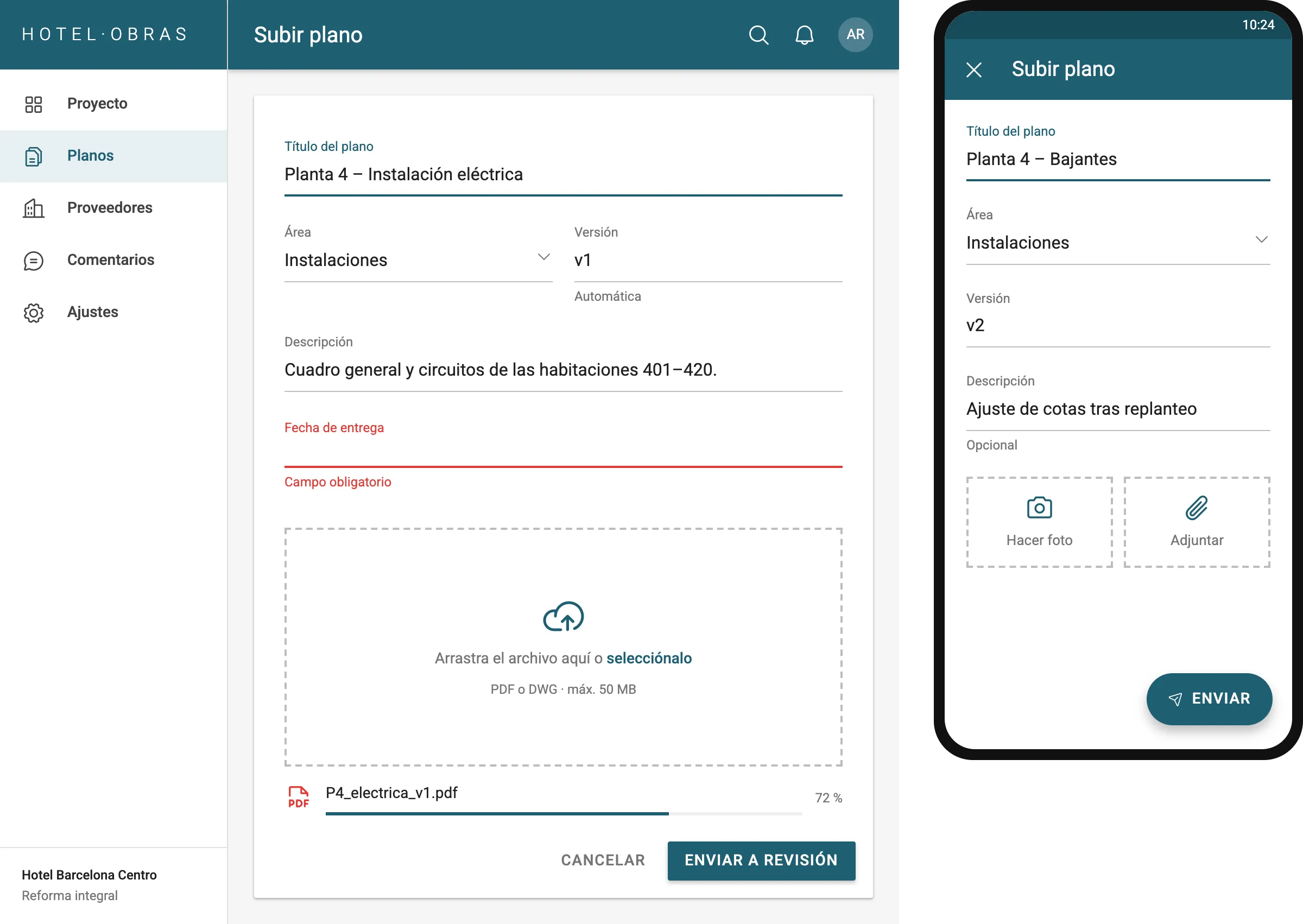
Drawing upload
The supplier form, with validation under each field and a drop zone. On mobile, a photo can be taken on site.
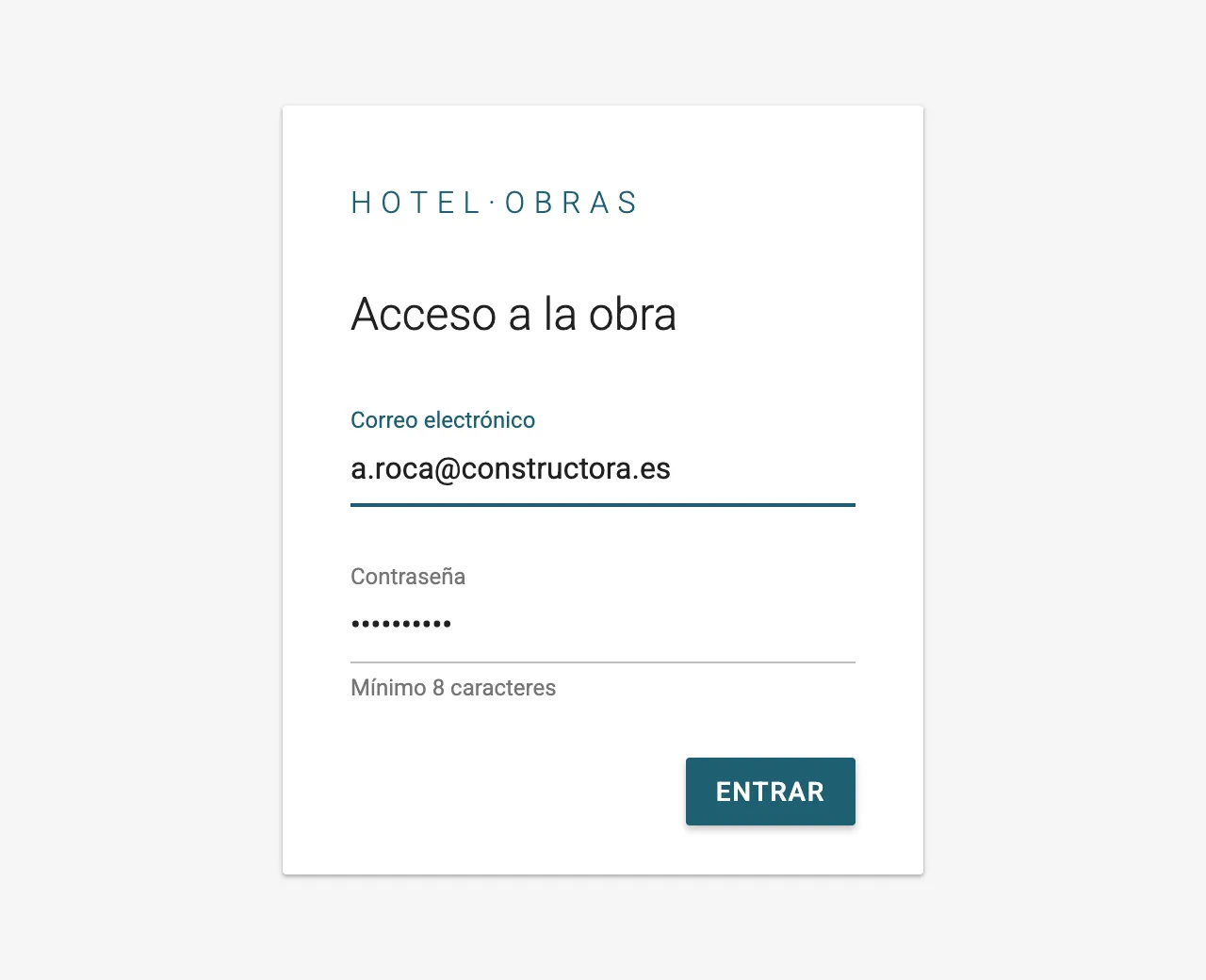
Sign in
A distraction-free sign-in, with the underlined fields used throughout the app.
The problem
Refurbishing a hotel involves many suppliers (architecture, building services, interior design, contractors) producing drawings and technical documentation. Without a shared tool, control of the works relied on email and manual follow-up.
- There was no reliable way to know which drawings were approved and which were still pending.
- Versions circulated by email, with no single reference.
- Knowing the status of each part of the works meant asking every supplier.
Approach
The value was not in technical complexity but in structuring the decision flow: who uploads each drawing, who approves it and what state each delivery is in. With that defined, the application only has to make it visible and make everything follow the same path.
What we built
Supplier drawing uploads
Each supplier uploads its drawings to the platform, always in the right place and with its version, instead of emailing them.
Works approval circuit
Review, approval or rejection with comments, and a new version when needed. Every drawing always has a clear status and an owner.
Overall status for the owner
The owner can check the status of the whole project and of each delivery at any time, without relying on manual reports.
Deliberate minimalism
Users had very different profiles, from architecture studios to contractors. A minimal interface cut the tool down to the essentials so nobody needed training.
Material Design
Clean forms with Android-style underlined fields: a language many suppliers already knew from their phones, which makes it obvious what can be filled in.
Stack
- PHP
- CodeIgniter
- Material Design
- Web responsive
- Visor PDF y DWG
Results
The works went from depending on email and manual follow-up to a single place where every drawing has an owner, a status and an approval.
- The owner knows the status of the works without having to ask.
- Suppliers work on the latest approved version and know what is pending.
- Rejections come with comments, so the next version starts from a clear decision.
A project like this is not made hard by technology, but by not knowing who decides what. Solving that first is what made the software simple.
Visual system
Classic Material, a petrol blue and four states with colour and label.
- Petrol blue#1F5F73
- Background#F5F5F5
- Pending#FFA000
- In review#1E88E5
- Approved#43A047
- Rejected#E53935
- Aa
Roboto
Material Design's typeface across the interface